
To start an online store, you work through five build steps: choose a platform, set up the store, add your products, turn on checkout and payments, and launch. This guide walks each one. It assumes you have already decided what to sell and to whom; if you have not, start with the business-level plan in how to start an ecommerce business, then come back here to build. And throughout, one principle guides the choices: build on a store you own, not one you only rent, so the site becomes an asset rather than a permanent bill.
None of this is as technical as it sounds, especially with today's tools. The goal is not to make you a developer; it is to make the decisions in the right order so you do not build something you have to tear down in a year.
What Starting an Online Store Involves
An online store is a website that does three jobs: it shows products, it takes payment, and it earns trust. Everything in the build serves one of those. Where a store differs from a plain website is the plumbing underneath, the cart, the checkout, the payment processing, and the inventory, and the quality of that plumbing is what separates a store that converts from one that leaks sales at the last step.
Keep the whole picture in view as you build. A store is not just a place to transact; it is the home of your brand, which is why the same care that goes into what a brand website needs applies here. Build for the transaction and the relationship at once.
A store is not just a place to transact. It is the home of your brand.
Step 1: Choose Your Platform
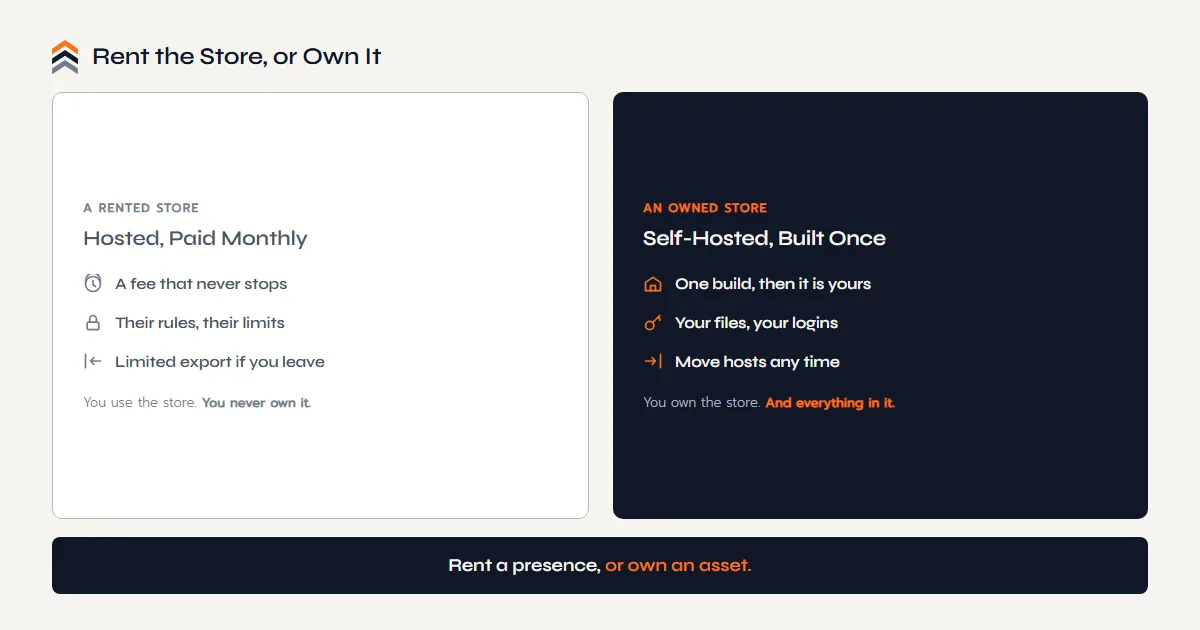
This is the decision everything else rests on, so make it deliberately rather than by defaulting to the first name you recognize. Your platform determines how the store looks, how well it ranks, what it costs over time, and, most importantly, whether you own it or rent it. The broad options split into hosted platforms you rent by the month, like Shopify, and self-hosted software you own, like WordPress with WooCommerce.
Neither is wrong, but they trade different things. Hosted platforms are faster to launch and hands-off to run; owned software gives you full control, deeper SEO, and an asset in your name. We lay the choices out for a small business, honestly, in ecommerce platforms for small business, and go deeper on the Amazon-seller angle in the best ecommerce platform guide. Choose for where you want to be in three years, not just launch day.
Step 2: Set Up the Store
With a platform chosen, you set up the foundations: a domain name that is your brand, hosting if your platform is self-hosted, and the store's design. Register the domain in your own name, always, because that address is the front door to everything you build and it should belong to you outright.
Then comes design. You can start from a template, but a template is where most stores stop looking like a brand and start looking like every other store. A custom design built around your products and story is what makes buyers trust you enough to pay, and it is the difference between a shop and a brand. This is the stage where doing it well pays back the most, because a first impression is hard to redo after launch.
Want the Store to Be an Asset You Own?
The Push Roadmap is a free 12 page PDF with the Ownership Scorecard. See the whole move from renting sales to owning a brand, mapped in order.
Sent straight to your inbox.
Step 3: Add Your Products
Now the store gets its products, and product pages are where sales are won or lost. Each one needs clear, honest photography, a description that answers real questions rather than lists features, a price, and the details a buyer needs to feel confident, shipping, returns, and what makes the product worth choosing. If you sell on Amazon already, you have a head start here: you know which images and answers convert.
Structure the catalog so it is easy to browse and easy for search engines to read: sensible categories, clean URLs, and descriptive names. That structure is not just tidiness; it is the groundwork of ecommerce SEO, and it is far cheaper to build in now than to retrofit once you have hundreds of products live.
Step 4: Turn On Checkout and Payments
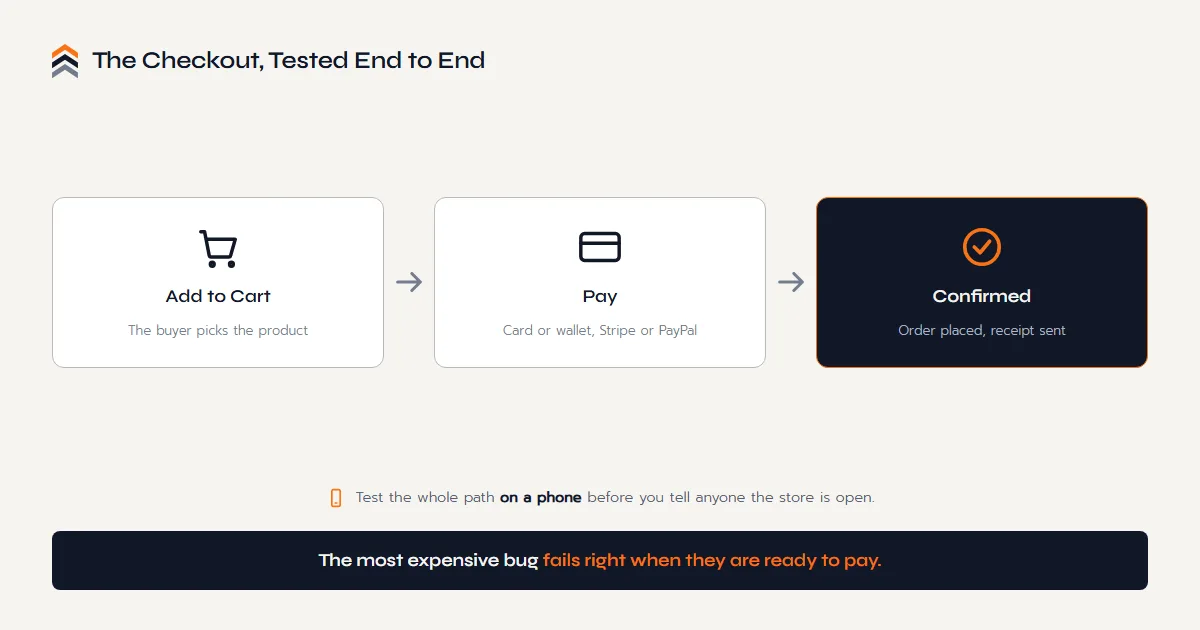
A store is not a store until it can take money, so connect your checkout and payment processing. Most platforms integrate the common processors, such as Stripe and PayPal, which let you accept cards and popular wallets; each charges a fee per transaction, so factor that into your margins. As of 2026, verify current processor rates, because they change.
Then take the friction out, because most abandoned carts are not a change of heart, they are an obstacle. The common ones are predictable: forcing people to create an account before they can pay, revealing shipping costs only at the final step, asking for details you do not actually need, and stretching the process across more pages than it deserves. Offer guest checkout, show the full cost early, keep the form short, and let the buyer see how many steps are left. Each of those is a small fix that protects a sale you have already earned.
Test the whole path before you tell anyone the store is open. Add to cart, check out, pay, and confirm the order and receipt all work, on a phone as well as a desktop, because most of your buyers will be on mobile. A broken or clunky checkout is the most expensive bug in ecommerce, since it fails exactly when the customer was ready to pay.
Before You Launch: The Trust Details
A new store arrives with no reputation, so trust has to be built into the pages. This is the part first-time owners skip, and it is the part buyers quietly check before handing over a card. Make sure the store carries a real shipping policy with delivery times and costs, a returns policy in plain language, contact details a human actually answers, and a privacy policy that says what you do with customer data. Missing any of them reads as a store that might not be there next month.
The smaller signals matter just as much: a secure checkout, working search, photography that is clearly your own rather than a supplier's, an About page with a face and a story behind it, and no broken links or leftover placeholder text from the template. Trust is not one badge in the footer. It is the accumulated impression that someone is behind this store and stands behind the product, and that impression is what turns a first sale into a second one.
Step 5: Launch and Get Found
Launch day is a beginning, not a finish line, and this is the truth that surprises most first-time owners. Unlike a marketplace, a new store arrives with no built-in traffic; being online does not mean being found. So the launch plan and the getting-found plan are the same plan.
Build the demand channels in from the start. Set up search and content so buyers can find you on Google over time, capture an email list so you own a direct line to customers, and, if you already sell on Amazon, route some of that audience to your own store. Those owned channels compound, while paid ads stop the moment you stop paying. The move to bring marketplace momentum onto ground you own is exactly what going from Amazon to your own website is about.
Questions Owners Ask
How Much Does It Cost to Start an Online Store?
The core costs are a domain, hosting or a platform fee, and the store build itself, plus payment-processing fees on each sale. A lean store can start for a few hundred dollars a year in running costs; a custom, owned build is a larger one-time investment that pays back as an asset. As of 2026, verify current pricing.
What Is the Best Platform to Start an Online Store?
It depends on whether you want to rent convenience or own the software. Hosted platforms like Shopify are fastest to launch; self-hosted WordPress with WooCommerce gives you full ownership and the deepest SEO. There is no universal best, only the best fit for your goals, which we compare in our platforms guide.
Can I Start an Online Store by Myself?
Yes, especially with a hosted platform that handles hosting, security, and payments. The limits show up in the parts that decide whether a store sells: custom design, real SEO, and speed. Many owners start solo and bring in a builder once the store needs to look and perform like a serious brand.
Do I Need a Business License to Sell Online?
Often yes, but it varies widely by country, state, and what you sell, and the rules change. Many owners register a business and handle sales tax before scaling. As of 2026, treat this as a prompt to confirm the requirements in your jurisdiction with an accountant or attorney rather than settled advice.
How Do I Get Customers to My Online Store?
Traffic does not arrive on its own, which is the honest catch of owning a store. The durable sources are search through SEO and content, an email list you own, and, if you already sell on a marketplace, routing some of that audience to your site. Paid ads work but stop the moment you stop paying.
Is Starting an Online Store Worth It?
If you want to own the customer, the margin, and the brand, yes. A store you own turns buyers into an asset you can sell to again for free, unlike a marketplace that keeps the relationship. The work is real, but so is the difference between renting a presence and owning a business.
The Conclusion
Starting an online store is five steps, but the thread through all of them is ownership. Choose a platform you can own, register the domain in your name, design a store that looks like your brand, build the catalog so search can read it, and treat launch as the day the real work of getting found begins. Do that, and the store is not a monthly expense; it is an asset with your name on it.
If you already sell on Amazon, you are building the piece the marketplace never gives you: a store where the customer, the margin, and the brand are finally yours.
Your sales can live on Amazon. Your brand should not.
The Next Move
You Know the Build.
Let's Make It One You Own.
Ready to Build
A free call, no pitch script. Tell us what you sell and where you are headed, and get a straight answer on the owned store that would fit.
Book a Free CallStill Weighing It
The Push Roadmap is a free PDF with the Ownership Scorecard. See how much of your brand you would actually own, before you build.