
The best ecommerce platform for Amazon sellers is not the one with the most features. Every platform in this comparison can sell a product. Shopify runs some of the biggest DTC brands on the internet. Wix powers millions of small sites. WordPress runs a bigger share of the web than every rival combined. Capability is not the question.
The question is the one Amazon already taught you: whose ground are you standing on? You are considering a website because the marketplace owns your customers, your data, and your rules. Pick the wrong platform and you rebuild the same arrangement one layer down, with a landlord that charges monthly instead of per order.
This guide compares the three honest contenders through that lens: what each one does well, what each one keeps, what switching later costs, and the five questions that settle the choice for your brand. If you are still deciding whether you need a site at all, start one guide back: Do Amazon Sellers Need Their Own Website?
The Real Question Behind the Platform Choice
Platform comparisons usually drown in feature tables: themes, apps, checkout options, page speed. Features matter, but they converge. All three contenders have solved the basics, and none of the differences on a feature sheet will decide what your brand is worth in three years.
What decides that is ownership, the same thing that made Amazon-only selling feel unfinished. A platform choice is really three questions wearing one name. Who owns the software your store runs on? What happens if you stop paying? And what can you carry out the door if you ever leave?
Hold those three questions up to each contender and the field sorts itself quickly.
You just left one landlord. Do not hire another.
The Three Contenders, Honestly
Shopify is the specialist tenant option. Purpose-built for ecommerce, polished, and fast to launch. You rent the software by the month, and the platform handles hosting, security, and updates in exchange. It is genuinely good at its job. It is also a rental in the strictest sense: stop paying and the store goes dark.
Wix and Squarespace are the DIY kits. Drag, drop, publish. For a brochure site or a side project they are honest value. For a product brand with SEO ambitions, they are the option most often outgrown, and their export doors are the narrowest in the industry.
WordPress with WooCommerce is the deed. Open-source software that nobody can subscribe you to: your files, your database, your design, running on any hosting you choose. No platform fee, no feature paywalls, no terms update that can reprice your store. The trade is that ownership includes upkeep, which you handle yourself or hand to someone accountable.
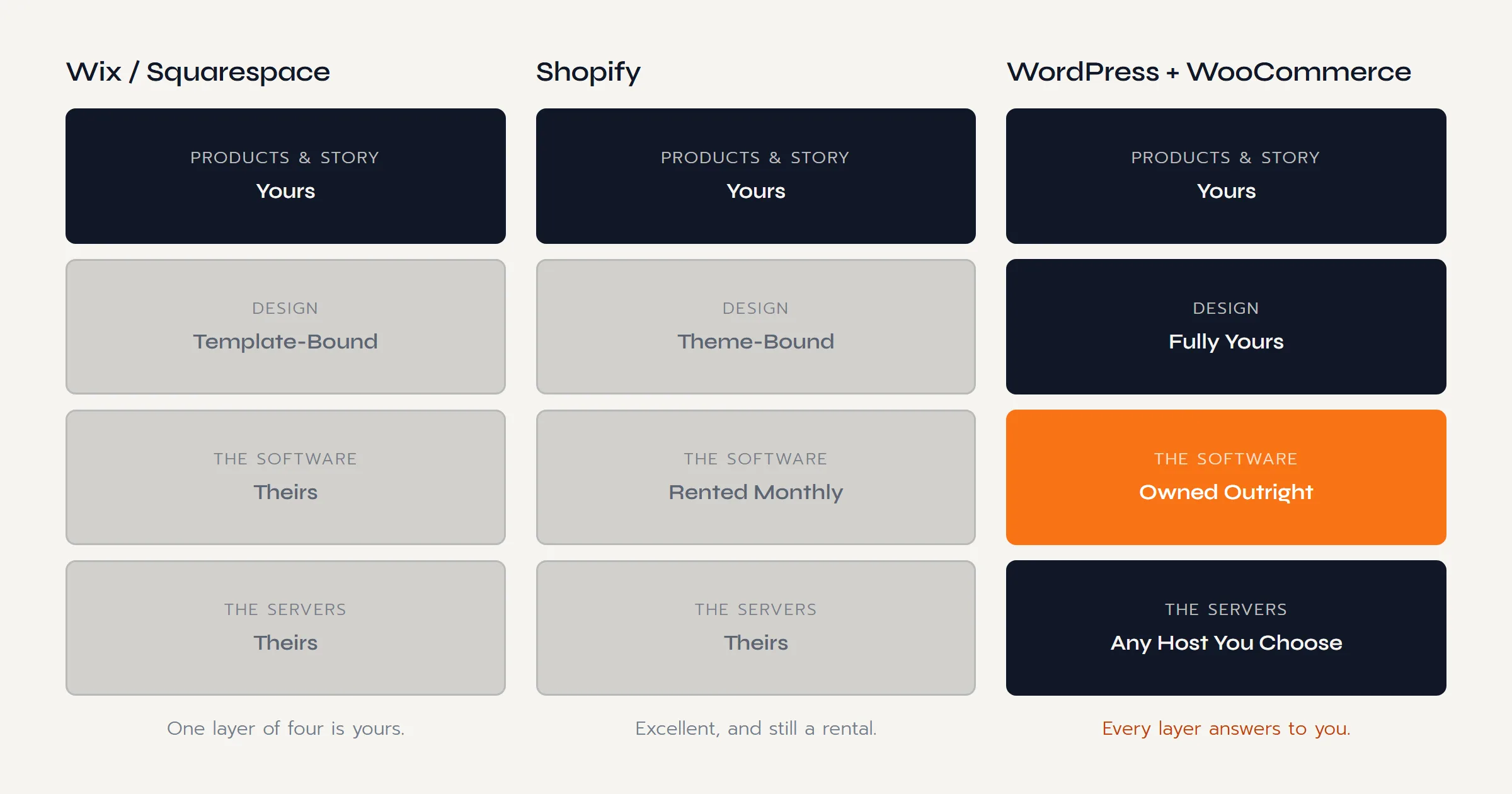
The Side by Side Comparison
The whole decision in one view. Every row is expanded in the sections that follow.
| What Matters | Wix / Squarespace | Shopify | WordPress + WooCommerce |
|---|---|---|---|
| The Software | Rented. Lives only on their servers. | Rented. Monthly plan plus app subscriptions. | Owned. Open-source, runs on any host. |
| Cost Shape | Subscription, forever. | Subscription plus apps plus fees, forever. | Build once, plus hosting at commodity prices. |
| If You Stop Paying | Site off. | Store off. | Keeps running. Only hosting renews. |
| Leaving With Everything | Narrowest door. Content largely stays. | Products and customers export; design, apps, and URLs stay. | Everything moves: files, database, design, links. |
| Design Freedom | Template-bound. | Theme-bound unless you pay for custom work. | Unlimited. Every pixel is editable. |
| SEO Depth | Basics only. | Solid, with structural limits. | The deepest toolset on the web. |
| Upkeep | None. That is the pitch. | None. Included in the rent. | Yours, or your builder's, to manage. |
| Best Fit | Brochures and side projects. | Brands that accept rent for convenience. | Brands playing the ownership game. |
To put real numbers on those cost shapes for your own store, the free brand website cost estimator prices the DIY, freelancer, and agency routes side by side in about a minute.
What Shopify Does Well (and What It Keeps)
Credit first, because Shopify earns it. Setup is fast. The checkout converts well. Hosting, security, and updates are somebody else's job. The app store patches almost any gap, and the platform will not fall over on a big traffic day. If a brand told us they run happily on Shopify, we would not talk them off it.
What the pitch skips is the shape of the deal.
- The rent never ends. The monthly plan is the floor, not the price. Real stores accumulate app subscriptions, and the total climbs with your ambitions, every month, for the life of the store.
- The terms are theirs. Pricing, features, and policies change when the platform decides. Sellers who lived through Amazon fee updates know exactly how that feels.
- The exit door is narrow. Your products and customer list export cleanly. Your theme, your apps, your store URLs, and everything built on them stay behind. Leaving means rebuilding.
None of that makes Shopify a bad product. It makes it a rental, and a seller leaving Amazon's rented ground should at least notice the pattern repeating.
The platform fee never ends. The build you own is paid for once.

How Much of Your Business Do You Actually Own?
Before another year of building rented revenue, put a number on it. The Push Roadmap is a free 12 page PDF with the Ownership Scorecard: score where your brand stands and see the move mapped out.
Sent straight to your inbox.
Where Wix and Squarespace Fit
The honest case for the builders: if all a brand needs today is a clean brochure, a story page, and a contact form, Wix or Squarespace will do it cheaply and nobody gets hurt. For a service business or a hobby line, that can be the whole answer.
For a product brand with Amazon-sized ambitions, the ceilings arrive early. Ecommerce SEO is shallow where it exists at all. Design lives inside the template. Site structure bends to the builder's rules, not yours. And the export door is the narrowest of the three: most of what you build stays when you go, which makes the cheap start an expensive habit.
The pattern we see is not sellers choosing builders and thriving. It is sellers choosing builders, outgrowing them within a year, and paying for the real site anyway, plus the rebuild.
Why We Build on WordPress and WooCommerce
Now our side, stated plainly. Every Sellers Push build ships on WordPress and WooCommerce, and the reasons are the same ones running through this whole guide.
- You own it outright. The software is open-source and the site is a set of files and a database that belong to you. There is no company that can subscribe you, reprice you, or sunset you.
- The cost shape respects the business. A build is paid for once. After that, the running cost is commodity hosting, not a platform tax that scales with your success.
- Nothing sits behind a paywall. Product pages, SEO structure, email capture, direct checkout: capabilities, not upsells.
- It transfers whole. At exit, the site moves with the business like any other owned asset: files, design, content, rankings, list. Buyers pay for what transfers.
- The SEO ceiling is the sky. The deepest search toolset of the three matters, because Google demand is one of the four outcomes the whole move exists for.
And the honest trade, because there is one: owned software needs upkeep. Updates, backups, security. Handled properly it is a few hours a month, which is exactly why our builds end with the ownership handover and an optional care plan: your site, your files, your logins, with maintenance you can delegate without surrendering ownership.
Can You Switch Platforms Later?
Yes, and knowing what moves is the best inoculation against picking wrong today.
From Shopify, your products and customers leave cleanly in a spreadsheet. Your theme, your app stack, your store URLs, and every hour sunk into them stay behind. From the builders, even less makes the trip. From WordPress, the entire site moves as a unit to any host on earth, because nothing about it belongs to a platform.
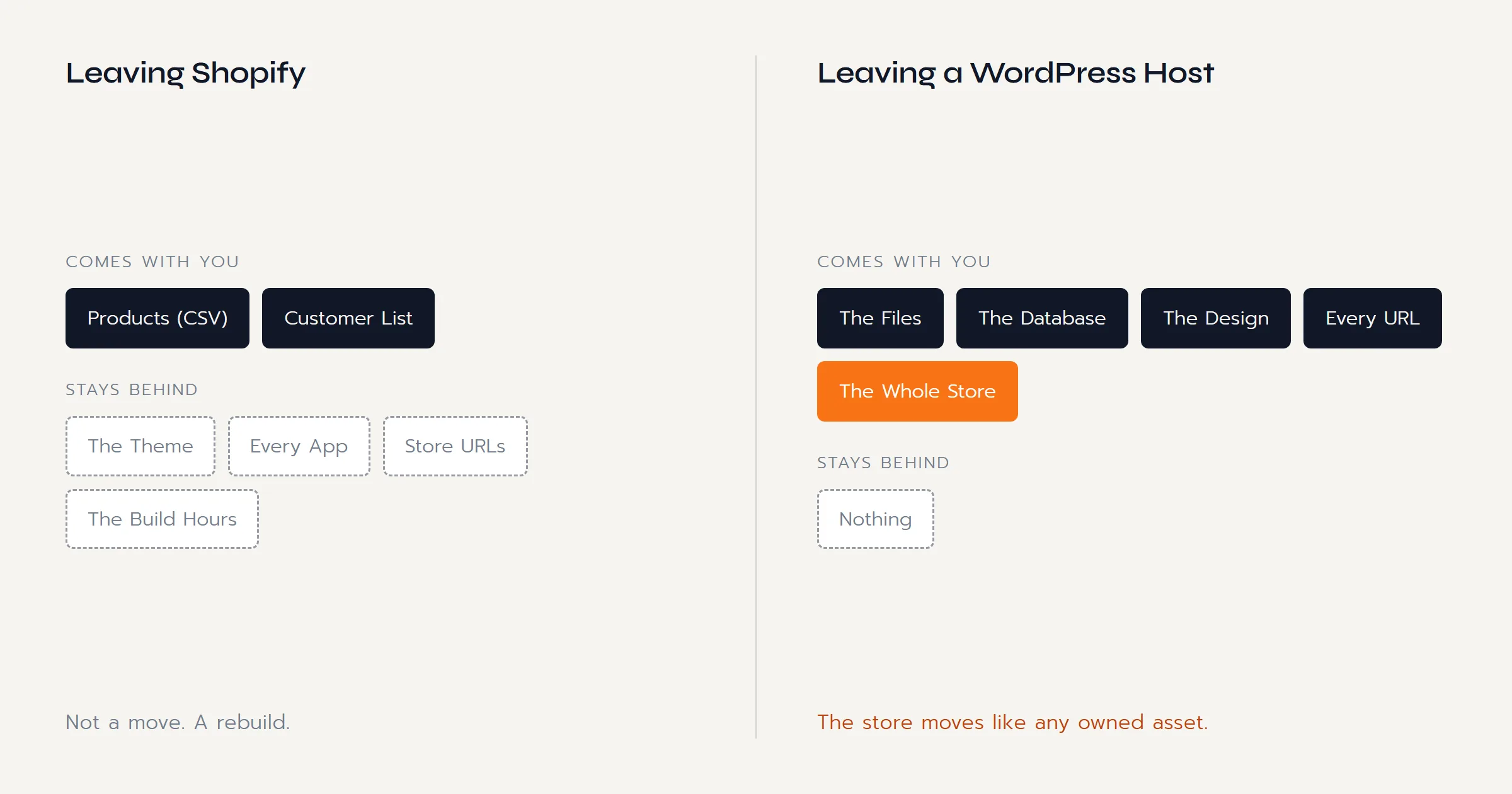
The practical advice inside that picture: switching is always possible and always priciest late. If you are on a builder and growing, move before the SEO and the content pile up. If you are choosing fresh, choose the platform you will not need to leave.
How to Choose in Five Questions
Feature sheets will not settle this. These five questions will.
A Quick Test
Put any platform, including ours, against these five.
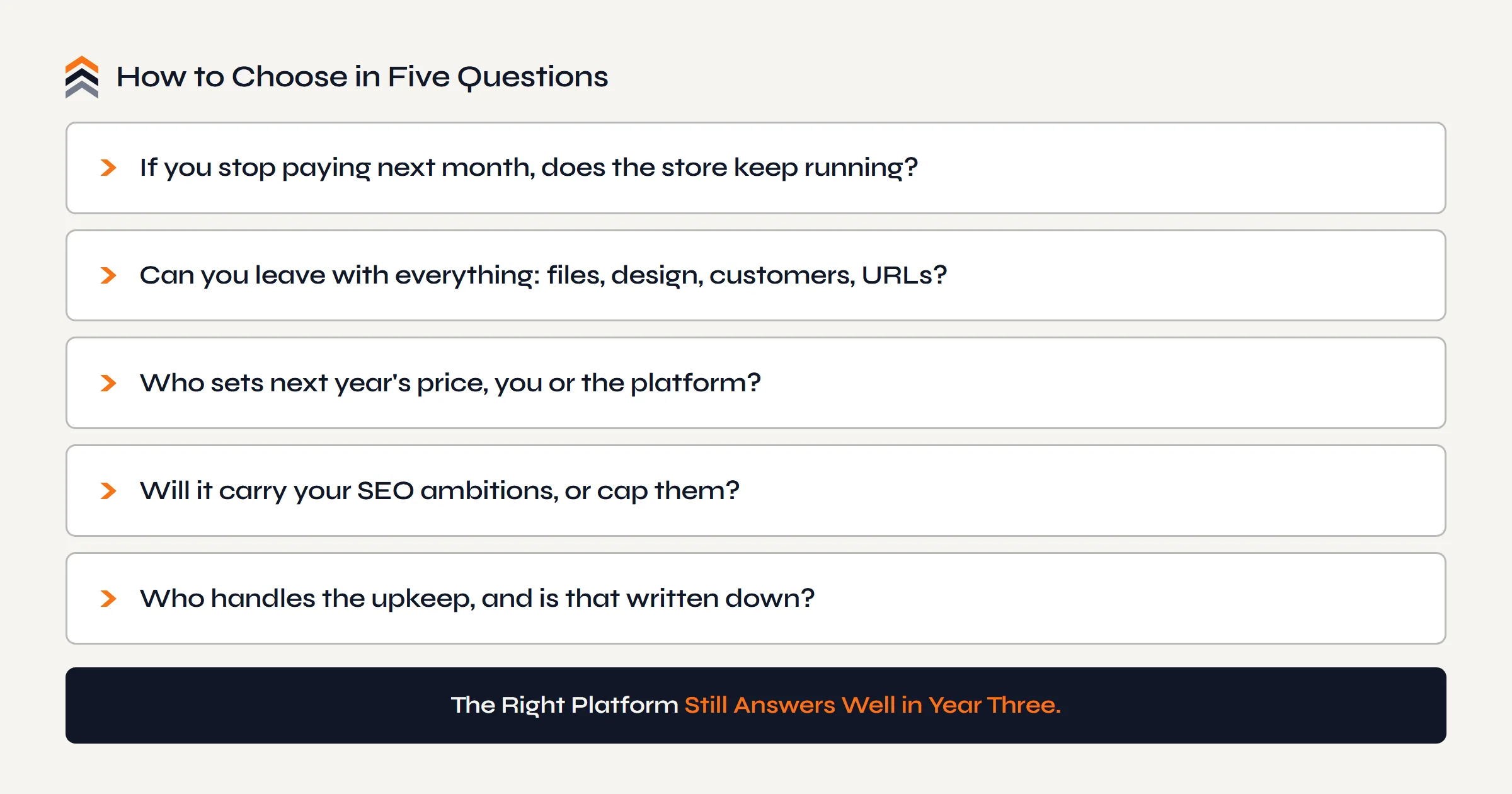
- If you stop paying next month, does the store keep running?
- Can you leave with everything: files, design, customers, URLs?
- Who sets next year's price, you or the platform?
- Will it carry your SEO ambitions, or cap them?
- Who handles the upkeep, and is that written down?
Rented platforms fail the first three by design; the builders usually fail four. The right platform is the one whose answers still look good in year three.
Questions Sellers Ask
What Is the Best Ecommerce Platform for Amazon Sellers?
For a seller whose goal is ownership, WordPress with WooCommerce: no platform rent, full data and design ownership, and the deepest SEO toolset. For a seller who wants zero involvement and accepts a permanent subscription, Shopify is the honest second answer. The builders suit brochure sites, not product brands with ambitions.
Is Shopify or WordPress Better for an Amazon Seller?
They are both capable; they differ in what you hold. Shopify trades a monthly fee for convenience and keeps the software, the terms, and the exit door. WordPress hands you the whole stack and asks you to manage it, or have it managed. Sellers who came to this decision to stop renting usually find the choice makes itself.
How Much Does Each Platform Really Cost?
Compare shapes, not sticker prices, because platform pricing changes. The builders and Shopify are subscriptions that run for the life of the store, and Shopify's real total grows with app subscriptions and payment fees. WordPress inverts it: a one-time build plus commodity hosting. Our build prices are public on the Services page.
Can I Move My Store From Shopify to WordPress Later?
Yes. Products, customers, and orders export cleanly and import into WooCommerce. What does not move is the build itself: theme, apps, and store URLs stay behind, and redirects have to be set up carefully to protect any rankings. It is a very doable move, and it only gets more expensive the longer the store grows on rented ground.
Does a WordPress Site Work Alongside Amazon?
Seamlessly. Product pages can route buyers to your listings while the brand site does its own jobs, and for registered brands that routed traffic can even earn Amazon's Brand Referral Bonus. When you are ready to sell direct, WooCommerce handles checkout and your existing FBA stock can ship the orders through multi-channel fulfillment.
Is Wix Good Enough for a Small Brand?
For a brochure, yes, honestly. For a product brand, the ceilings show up fast: shallow ecommerce SEO, template-bound design, and the narrowest export door of the three, so what you build largely stays if you leave. If there is any chance the brand grows, the cheap start tends to cost more than the real one.
Do I Have to Maintain a WordPress Site Myself?
Somebody has to, but it does not have to be you. Updates, backups, and security are a few hours a month that any competent builder will handle under a care plan. The difference from platform rent is what you get for the money: on our builds the site, files, and logins are yours either way, and the care plan is optional, not a condition of the store staying online.
The Conclusion
All three platforms can put a store on the internet. Only one of them puts it on ground you own, and for an Amazon seller that difference is the whole point of the move.
Shopify deserves its reputation: excellent software, honestly rented. The builders deserve theirs: easy starts with early ceilings. If either fits how you want to run, they will work. But if this website exists because renting your business to a platform stopped feeling acceptable, then the choice is not really between three logos. It is between repeating the arrangement and ending it.
That is why we build on WordPress and WooCommerce, and why every build ends with the handover: files, domain, design, customers. The point was never the software. The point is that nobody can take it back. The same reasoning, applied to the whole channel decision, lives in Selling on Amazon vs Selling on Your Own Website. And once the platform is settled, the rest of the move is mapped in The Complete Guide to Building Your Brand Beyond Amazon.
Your sales can live on Amazon. Your brand should not.
The Next Move
You Have Read the Argument.
Pick Your Path.
Ready to Build
A free call, no pitch script. Walk us through your Amazon business and get a straight answer on what your own site would take.
Book a Free CallStill Weighing It
The Push Roadmap is the free PDF version of this decision. Put a number on where your brand stands before you commit to anything.