
Search your best product on Google right now and switch to the Shopping tab. There it is: your photo, your price, maybe your brand name in the title. You did not put it there. Amazon did.
That is the quiet fact at the center of this guide. Google Shopping already sells your products. The demand exists, the shelf already carries you, and every click lands on the marketplace's listing, feeds the marketplace's flywheel, and produces a customer whose name you never learn.
What follows is the honest map of that shelf: what Google Shopping and Merchant Center actually are, why the free side of it matters for a seller, what it requires, and what to expect once you are on it under your own name.
Your Products Are Already on Google Shopping
Amazon feeds its enormous catalog to Google, which means most established products appear on the Shopping shelf whether their brands ever asked or not. The seller line under your product says Amazon, or sometimes a reseller you have never heard of. You cannot opt in, opt out, tune the placement, or see a single data point about who clicked.
Every one of those clicks is off-Amazon demand, the exact kind this whole series is about, being routed back onto rented ground. Someone searched Google, not Amazon. The marketplace still got the customer.
A Quick Test
The seller-line test. Two minutes, on your phone:
- Search your best product on Google and open the Shopping tab. Is it there?
- Whose name is on the seller line under it?
- Where does the click land, and who learns the customer's name when it does?
If the name is not your brand, the second shelf is already being worked. Just not by you.
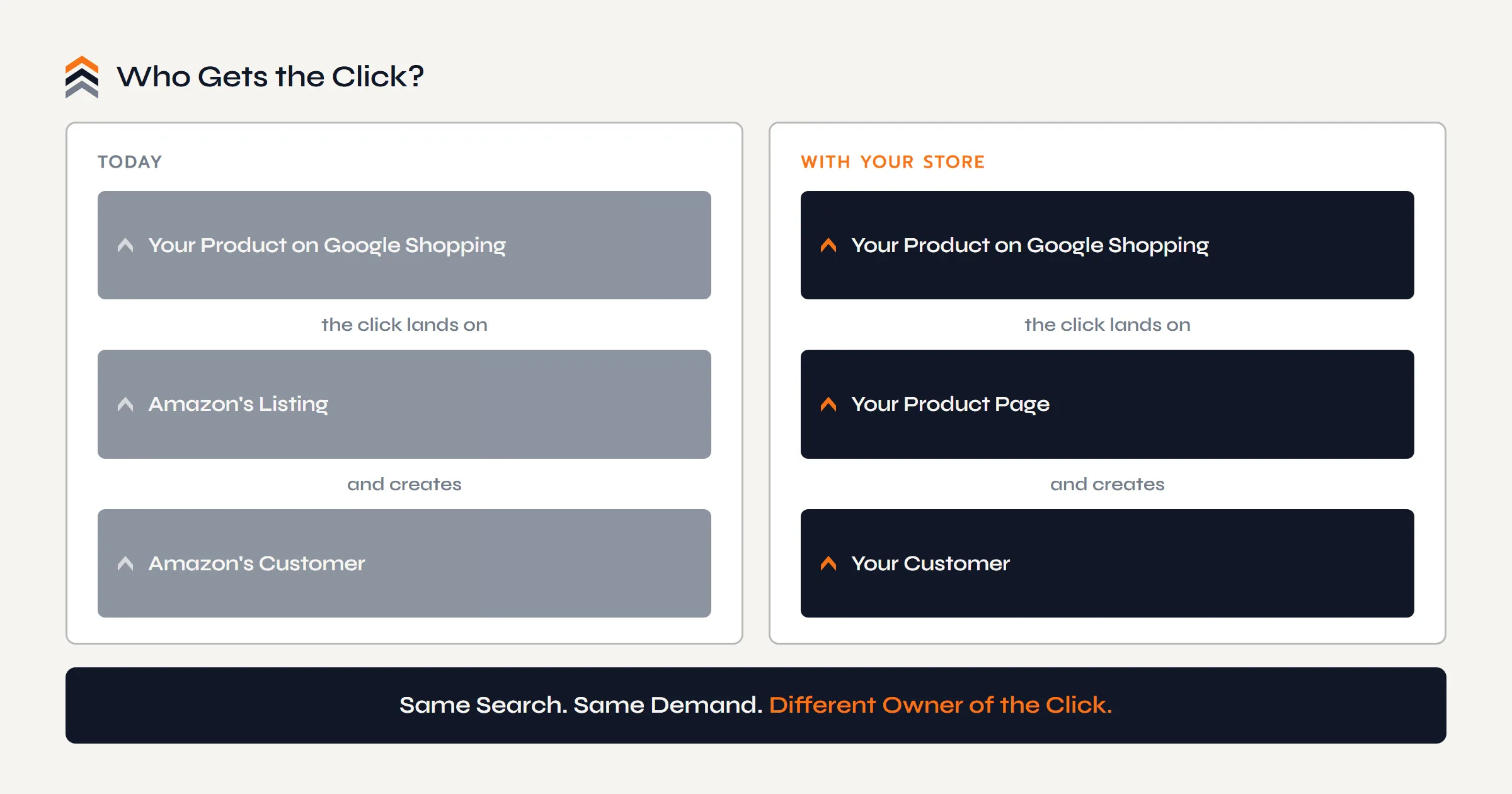
Google Shopping already sells your products. Amazon collects the clicks.
What Google Shopping Actually Is
Strip the jargon and the anatomy is three pieces. Google Shopping is the product shelf that appears across Google's surfaces: the Shopping tab, the product panels inside normal search results, even image results. It is where product searches with buying intent get answered with products instead of links.
Merchant Center is the free account that puts a store on that shelf. It holds your product feed: the titles, prices, images, and stock status of everything you sell, supplied by your store and kept current.
And the feed's source is the third piece: a store you control. Product pages live somewhere, prices are set somewhere, orders happen somewhere, and that somewhere is what Google sends the shopper to. That is the whole machine: a store, a feed, an account. Everything else is detail.
Why It Matters for an Amazon Seller
Because it is a second shelf with the same buying intent as the first one, and since 2020 the basic placement has been free. Free listings put your products on the Shopping tab without a per-click bill; the only admission ticket is a store with a clean feed.
The difference between this shelf and the one you already stand on is everything this series keeps measuring. A click from Google Shopping to your own product page creates your customer: their order in your system, their email on your list, their repeat purchase available at no acquisition fee. The same click routed to the marketplace creates Amazon's.
It also rounds out the demand layer of the brand. Rankings and content answer the questions people type in words, covered in Ecommerce SEO Basics for Your Brand Website; the Shopping shelf answers the searches that are already a product. A brand working both is visible at every stage of the search.
What the Second Shelf Requires
Google's requirements read like a trust checklist, because that is what they are. The shelf sends shoppers to stores, so the store has to behave like one:
- Product pages with accurate prices. What the feed says and what the page says must match, always.
- A returns policy in writing. Findable on the site, honored in practice.
- Contact details and a secure checkout. A real business, reachable, taking payment safely.
- A feed that stays in sync. Prices and stock that update when the store does. Store platforms generate and refresh feeds automatically; WooCommerce included.
Notice what the list is not: marketing tricks. It is the foundation layer of the brand build, run honestly. If you are still weighing whether that foundation is worth building at all, the answer lives in Do Amazon Sellers Need Their Own Website?; what the build looks like beside a running Amazon business is Amazon to Your Own Store; and it is the exact stack our builds ship.
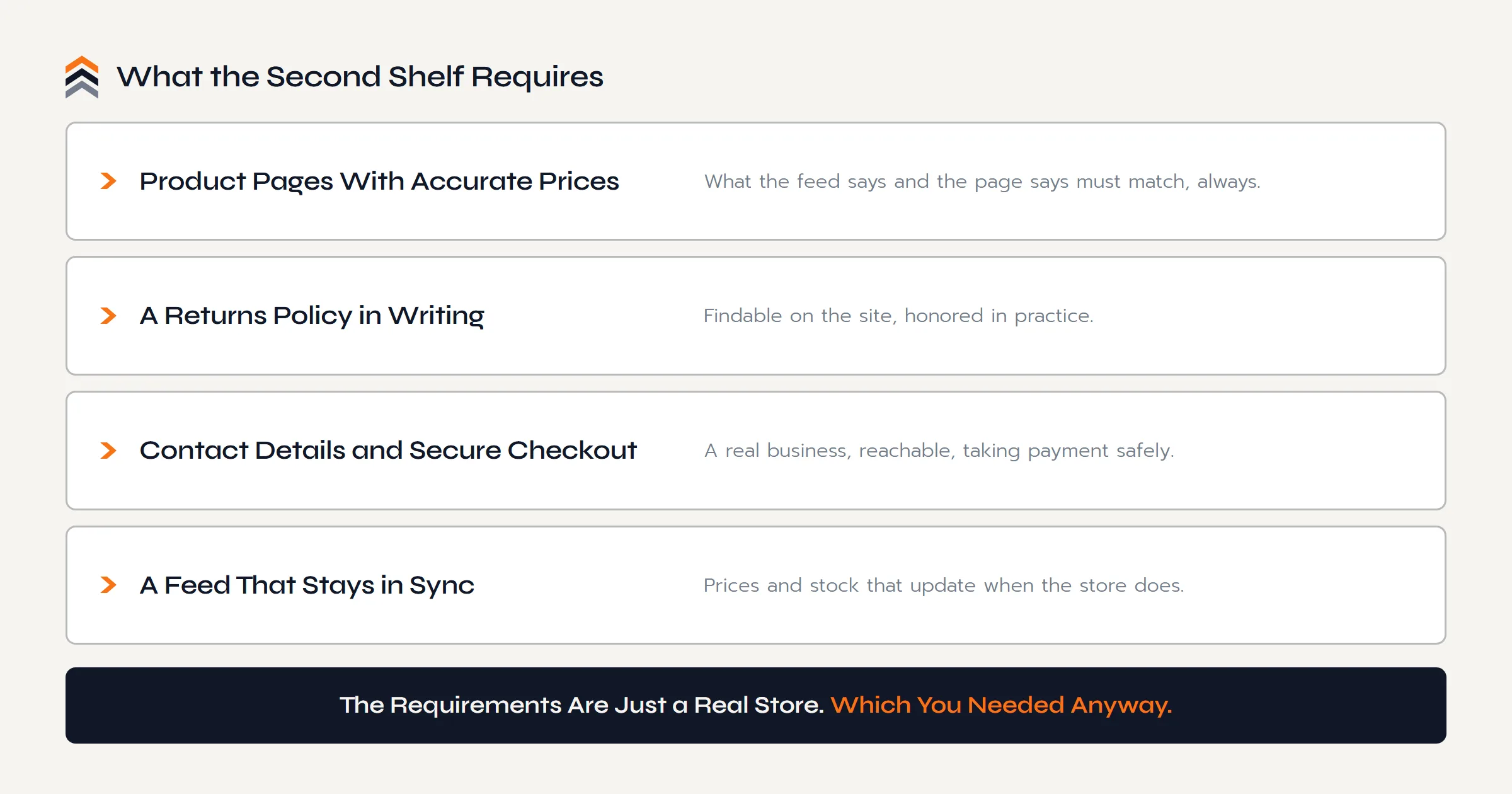
The second shelf has one price of admission: a store you own.
How Much of Your Business Do You Actually Own?
The second shelf needs a foundation under it. The Push Roadmap is a free 12 page PDF with the Ownership Scorecard: score where your brand stands today and see the move to owned ground mapped out.
Sent straight to your inbox.
Free Listings vs Shopping Ads
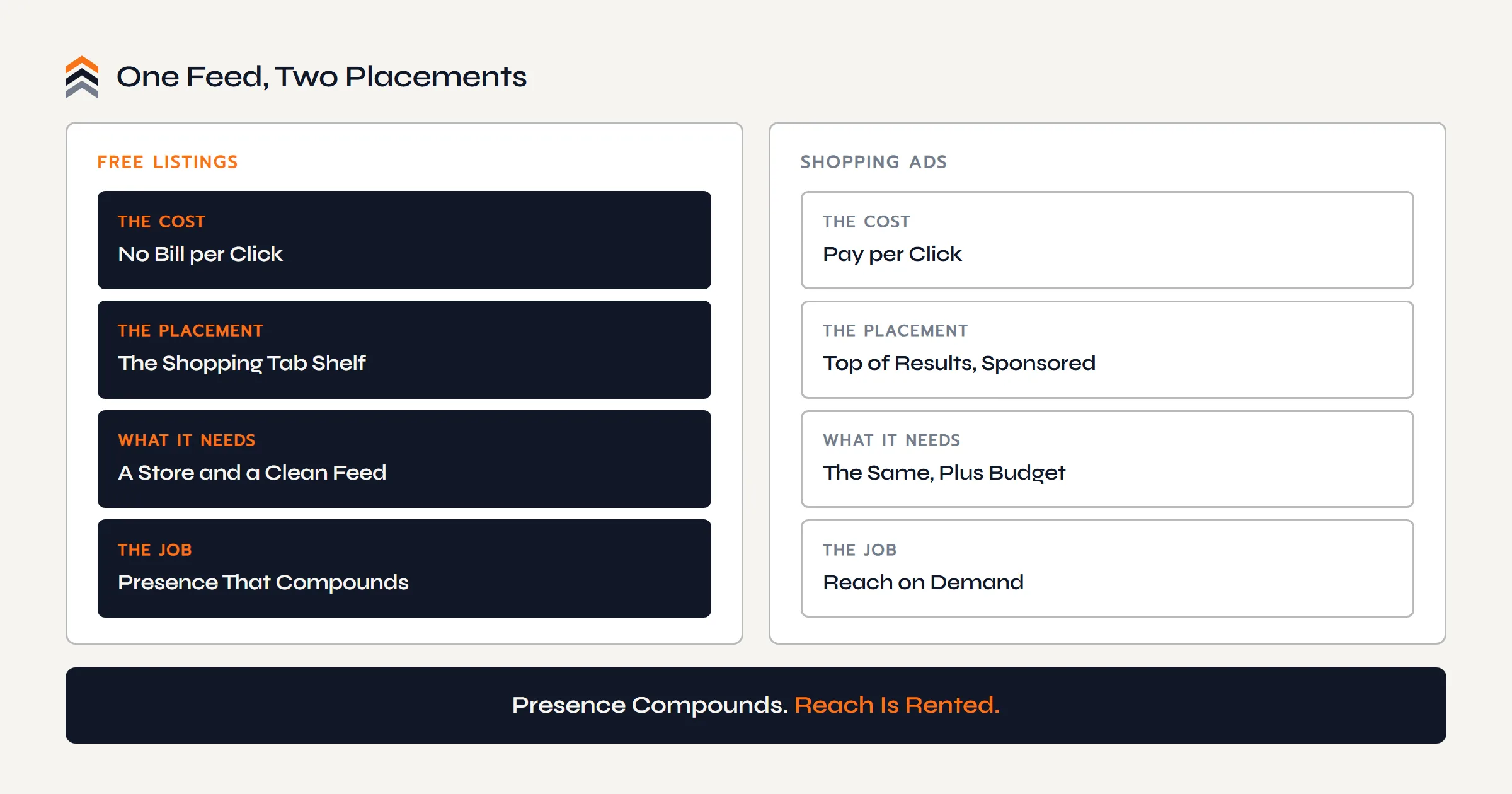
The same feed powers two placements, and the difference is the cost shape. Free listings are the organic side: presence on the Shopping tab and product surfaces, earned by feed quality and relevance, with no bill per click. Shopping ads are the paid side: the same products pushed to the top of results, labeled sponsored, scaled by budget.
The honest sequencing for most brands is free first. Get the store on the shelf, let the feed mature, see which products earn clicks on their own. Ads rent additional reach, and rented reach makes sense only when the margin math behind each click already works. Running those campaigns is marketing work, which sits outside what we build; being present on the free shelf does not.
What to Expect, Honestly
The shelf is real, free, and slower than the screenshots in ads for feed tools suggest. Big retail lives there, price competition is visible by design, and a new store's products earn their placement gradually as the feed proves accurate and the site proves trustworthy.
An Amazon seller's edges are real too: a proven product, photography and copy that already convert, a brand name with searches behind it, and a niche specificity the giant retailers cannot match on your exact product.
An Honest Note
Three truths before you count the clicks:
- Presence is not a traffic faucet. Free listings build with feed quality, category, and price position, on their own schedule.
- Sync is policy, not housekeeping. A feed whose prices drift from the site gets products suspended. Automate it and forget it.
- No store yet? This is a reason, not a blocker. The shelf will still be there when the foundation is; it rewards the brand that arrives ready.
The shelf is real and the listing is free. Treat it like a shelf, not a lottery.
Questions Sellers Ask
Are My Products Already on Google Shopping?
Almost certainly, if they sell on Amazon in any volume. Amazon feeds its catalog to Google, so your products appear with the marketplace, or sometimes a reseller, on the seller line. You do not control that placement, cannot see its data, and do not receive its customers. Run the two-minute seller-line test in this guide and see for yourself.
Is Google Shopping Free?
The parts that matter to start are. Merchant Center is a free account, and free listings have put products on the Shopping tab without per-click charges since 2020. Shopping ads are the optional paid layer on top of the same feed. A store with a clean feed can be present on the shelf without spending a rupee on clicks.
Can I Use Google Shopping Without My Own Website?
Not under your own name. Merchant Center exists to send shoppers to a store, so it needs product pages, prices, and a checkout that belong to you. Without one, your products only reach the shelf through whoever else lists them, on their terms. Whether the store itself is due yet has its own honest answer in Do Amazon Sellers Need Their Own Website?
Can I Point Google Shopping at My Amazon Listings Instead?
No. Your Merchant Center feed must send shoppers to your own store's pages; Amazon handles its own catalog's presence on the shelf itself. Driving external traffic to your listings is a different play with different tools, including Amazon's Brand Referral Bonus for registered brands, and it has its own guide.
Do Free Listings Actually Send Traffic?
They send presence first and traffic gradually. Results depend on feed quality, images, price position, and how competitive the category's shelf is. Treat the free side as compounding real estate rather than a launch channel: it costs nothing to stand on, builds as the store earns trust, and every click it does send lands on a page where the customer becomes yours.
What Does Merchant Center Require From My Store?
Legitimacy, mostly: accurate prices that match the feed, a written returns policy, visible contact details, a secure checkout, and product data that stays current. Store platforms handle the feed mechanics, WooCommerce included, so the requirements come down to running a real store honestly, which is the plan anyway.
Should I Run Shopping Ads Too?
Only after the free shelf and the margin math both say yes. Ads rent extra reach for the same products, which makes sense once you know which products convert and what a click is worth to you. That is marketing work, honestly outside what we build; the store and feed that make it possible are exactly what we build.
The Conclusion
Google Shopping is not a new channel you have to conjure demand for. The demand is already there, your products are already on the shelf, and today the marketplace owns every click they earn. The only strategic question the shelf asks is the one this whole series asks: who owns the destination?
The answer is built, not bought: a store you own, a feed it keeps honest, a free listing that compounds, and ads later if the math invites them. Every click that lands on your own page is a customer whose name you know, buying at a margin no marketplace prices for you.
Your sales can live on Amazon. Your brand should not.
The Next Move
You Have Read the Argument.
Pick Your Path.
Ready to Build
A free call, no pitch script. Walk us through your Amazon business and get a straight answer on what your own site would take.
Book a Free CallStill Weighing It
The Push Roadmap is the free PDF version of this decision. Put a number on where your brand stands before you commit to anything.